Tooltip
On every item
True Value, the market average, the latest price, and the gap between them. A bank count when another character has the item.
Last full scan

World of Warcraft Forever
Record the auction house while you scan and share those prices with the group. The tooltip shows True Value (what it sells for now), the market average, the latest listing, and how far apart they are.
Install from CurseForgeDownload the ahprice app (.exe)
CurseForge installs the addon. The download installs the app that fetches prices. If the addon is already there, run the installer on that same game folder. CurseForge can update the addon afterward.
161,971 items · 1,390,412 snapshots on the shared list.
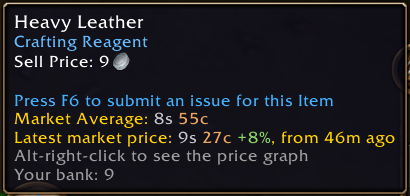
Tooltip
True Value, the market average, the latest price, and the gap between them. A bank count when another character has the item.
Network
Install and you are on the shared list. Prices other players already scanned are in your tooltips from the first /reload; your scans go out to them.
In game
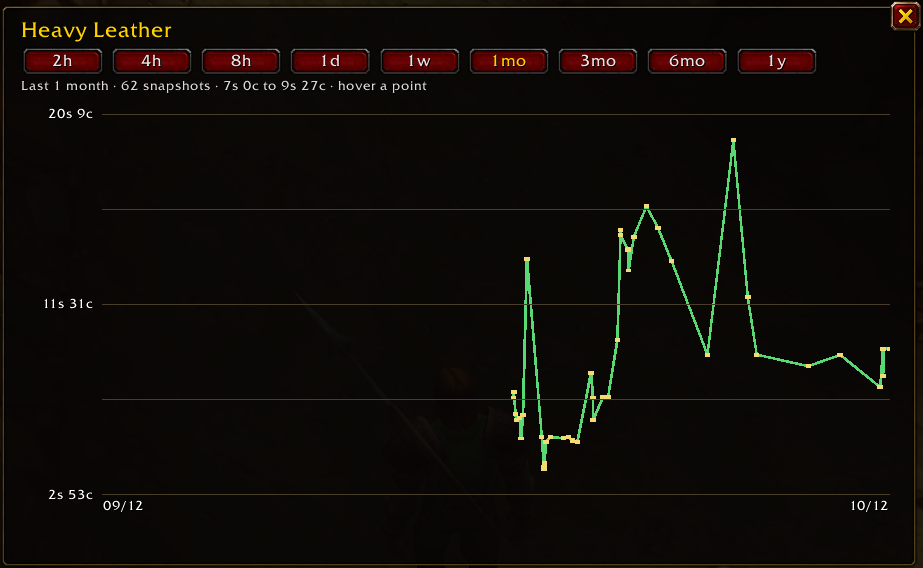
The price chart opens on the item. Hours, days, or months, from the snapshots this list already has.
Auction house
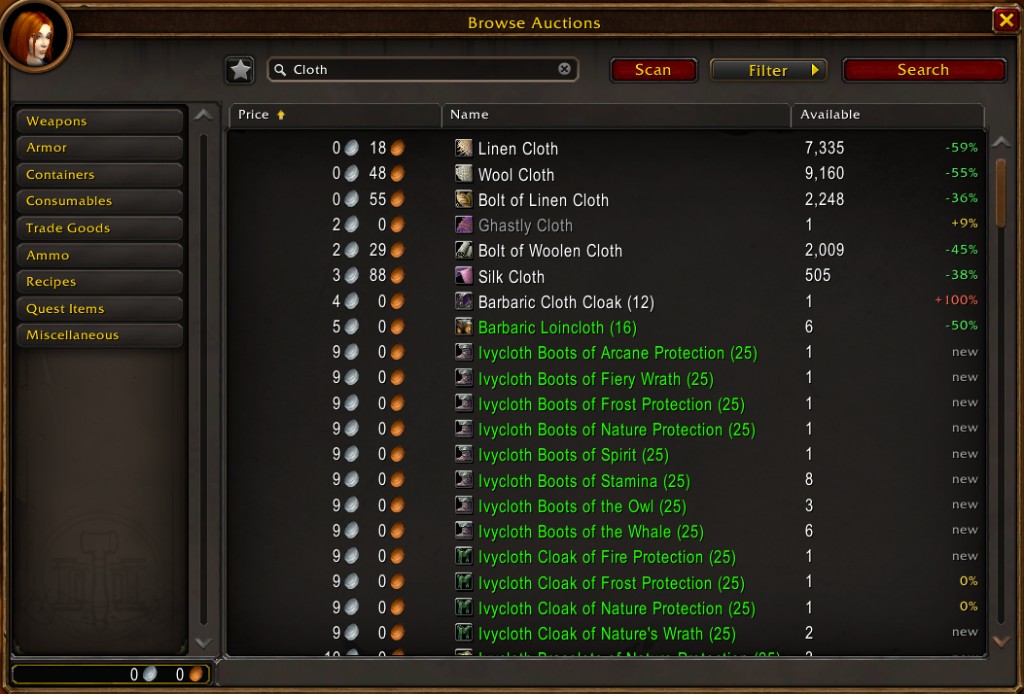
Click Scan. The vs true value column is each listing against what it sells for now.
Price graph
Heavy Leather over the last month. The same chart is in the game, on the item you alt-right-click.
The app
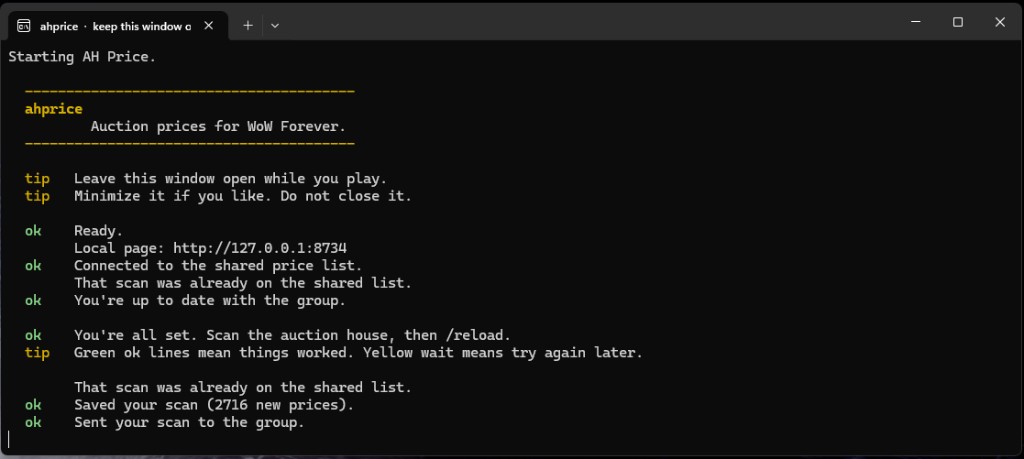
ahprice is two parts: the addon in game, and this app on your PC. Setup installs both and starts the app. The moment it opens it downloads the shared price history for your realms, then pulls new scans every minute and saves a copy of every scan you make. Green ok lines mean a scan saved or synced. On Windows, minimize sends it to the system tray. Do not close it.
1
Download for your system and choose the game folder, _forever_. Setup adds the addon and the app. ahprice is only tested and usable on WoW Forever.
2
The game cannot go online, so the app does it: prices for your realms arrive at launch and keep coming every minute.
3
The addon saves your scan, the app sends it, and your tooltips pick up the group's prices. A popup offers a Reload every 30 minutes.
Install from CurseForgeDownload the ahprice app (.exe)
CurseForge installs the addon. The download installs the app that fetches prices. If the addon is already there, run the installer on that same game folder. CurseForge can update the addon afterward.